
1
Upload a diagram image
Start from a flowchart screenshot, exported diagram, or clear image of a diagram.
Upload a flowchart screenshot or diagram image and convert the visible structure into editable Mermaid code you can review, refine, and use in documentation.
Supported inputs
Editable examples
Upload a flowchart screenshot or diagram image. ImageToEditable rebuilds the structure and generates Mermaid code you can copy into docs, GitHub, or Markdown.
Before
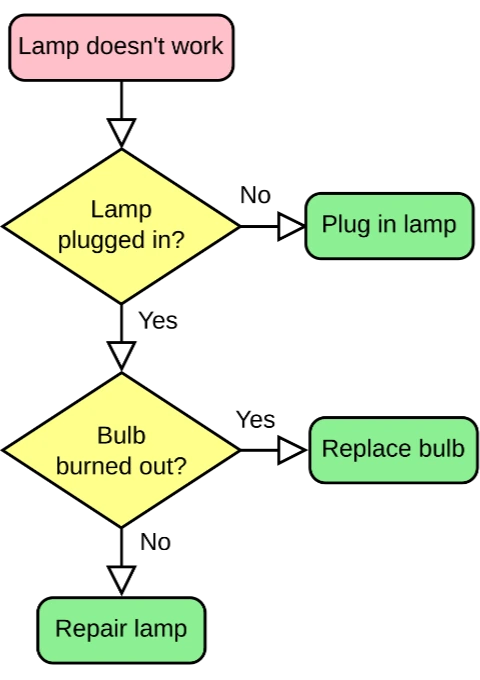
Static visual source
After
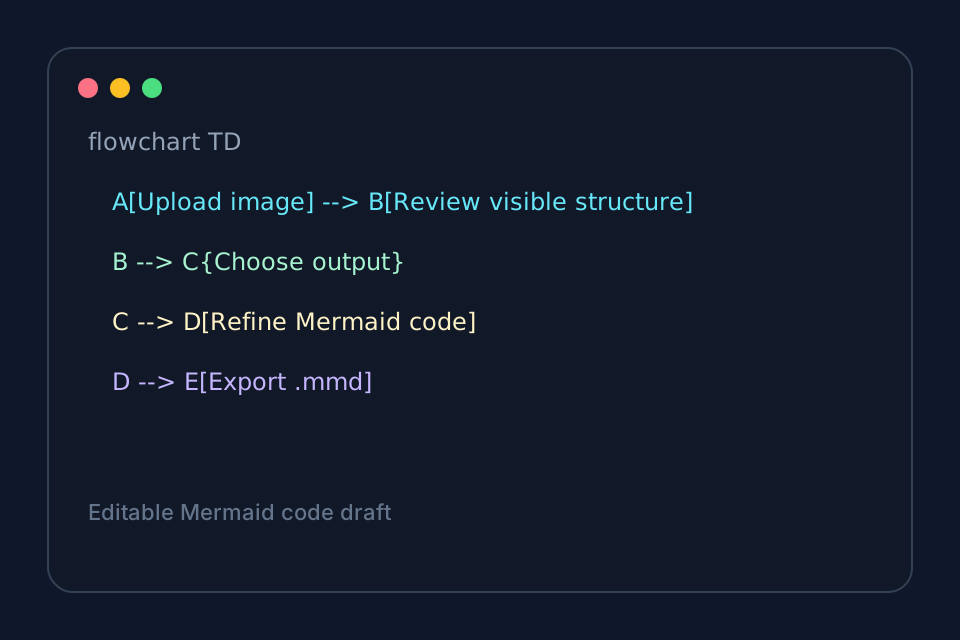
Code you can copy, edit, and render
Best for clear flowcharts and architecture diagrams. Review dense labels and branch directions before publishing.
Generate Mermaid codeStart with the source file, let AI rebuild the visible structure, then review the editable result on canvas.
Start from a flowchart screenshot, exported diagram, or clear image of a diagram.
ImageToEditable detects visible steps, decisions, labels, arrows, and connector direction.
Open the generated canvas, check the structure, and use the latest Mermaid source when available.
Editable result
ImageToEditable rebuilds the visible diagram as editable diagram objects, so the output can be reviewed and refined instead of staying locked inside a flat image.
Review and edit visible text labels after the diagram is rebuilt.
Move, resize, add, or remove process boxes, decision nodes, and other diagram elements.
Reconnect arrows, adjust flow direction, and fix unclear branches when needed.
Clean up spacing, alignment, grouping, and reading order on the editable canvas.
Image conversion workflows
Choose the converter that matches your source image or the editable output you need.
Convert diagram screenshots into Mermaid source for README files and engineering docs.
Recreate flowcharts as text-based diagrams for docs sites, wikis, and knowledge bases.
Recover diagram structure from screenshots before adding the process to team notes.
Turn simple architecture diagrams into editable Mermaid code drafts for technical planning.
Convert workflow screenshots into Mermaid flowcharts that are easier to edit and maintain.
Before you upload
Image to Mermaid conversion is useful when a flowchart or process diagram only exists as a screenshot, export, or diagram image, but you need editable Mermaid code for documentation.
ImageToEditable rebuilds the visible diagram structure into an editable draft so you can review the flow, refine the labels, and use the Mermaid source where available.
A screenshot to Mermaid workflow helps developers, product teams, and technical writers turn static diagrams into code-backed diagrams for Markdown, GitHub, Notion, README files, and docs.
For best results, start with high-contrast flowcharts, decision trees, and process diagrams with readable labels. Dense screenshots, tiny text, or complex non-flowchart layouts may need manual cleanup.
Results and quality
Upload a clear PNG, JPG, JPEG, or SVG diagram image. For a diagram inside a document, export or capture the relevant page as an image first.
Export availability follows the current ImageToEditable canvas export options.
Continue from the converted diagram without rebuilding the file.
Continue refining the rebuilt diagram with manual edits.
Export the finished diagram as a Draw.io, Mermaid, Excalidraw, PNG, or SVG file when available.
Check labels, shapes, arrows, and connectors before you share the result.
FAQ
Upload a screenshot or diagram image and rebuild the visible structure as an editable Mermaid draft for docs.