
1
Upload a sketch or screenshot
Upload a whiteboard photo, hand-drawn flowchart, product flow, system sketch, or diagram screenshot.
Upload a sketch, whiteboard photo, screenshot, or flowchart image and let AI rebuild the visible structure into an editable Excalidraw-style diagram.
Supported inputs
Editable examples
Turn a sketch, screenshot, or whiteboard photo into an editable diagram draft with a hand-drawn feel, then refine labels, boxes, and connectors.
Before
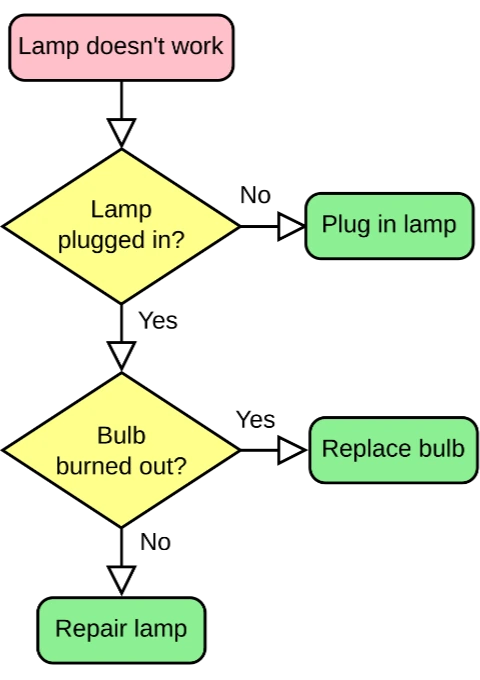
Rough pixels and uneven layout
After

Editable sketch-style objects
Best for legible sketches and whiteboard photos. Review handwriting, glare, and crossed arrows before export.
Create Excalidraw-style diagramStart with the source file, let AI rebuild the visible structure, then review the editable result on canvas.
Upload a whiteboard photo, hand-drawn flowchart, product flow, system sketch, or diagram screenshot.
ImageToEditable recreates the visible shapes, arrows, labels, and layout as editable sketch-style elements.
Refine labels, adjust connectors, clean up the layout, and export the result for your Excalidraw-style workflow.
Editable result
ImageToEditable rebuilds the visible diagram as editable diagram objects, so the output can be reviewed and refined instead of staying locked inside a flat image.
Review and edit visible text labels after the diagram is rebuilt.
Move, resize, add, or remove process boxes, decision nodes, and other diagram elements.
Reconnect arrows, adjust flow direction, and fix unclear branches when needed.
Clean up spacing, alignment, grouping, and reading order on the editable canvas.
Image conversion workflows
Choose the converter that matches your source image or the editable output you need.
Turn meeting whiteboard photos into editable Excalidraw-style diagrams.
Convert paper sketches, notebook diagrams, or tablet drawings into editable sketch-style flows.
Rebuild rough product flows for roadmap planning, design reviews, and product documentation.
Convert system architecture screenshots into lightweight editable sketch diagrams.
Turn messy brainstorming boards into clearer editable Excalidraw-style scenes.
Convert static flowchart images into editable sketch-style flow diagrams.
Before you upload
An image to Excalidraw converter helps you turn a static image, screenshot, whiteboard photo, or sketch into an editable diagram with a hand-drawn visual style.
Instead of keeping the original image as a flat picture, ImageToEditable rebuilds the visible labels, shapes, arrows, and layout as editable diagram elements.
Many Excalidraw-style workflows start from rough ideas: product flows, meeting whiteboards, system sketches, wireframes, and brainstorming diagrams.
This page is designed for users who want a lightweight sketch-style result instead of a polished corporate flowchart or a formal diagram theme.
After a meeting, workshop, or planning session, upload the whiteboard photo and convert the visible structure into a canvas you can edit.
For best results, use a front-facing photo with readable text, visible arrows, and enough contrast between the writing and the background.
Hand-drawn flowcharts do not need to be exact. ImageToEditable can rebuild rough boxes, arrows, decision nodes, and labels into a cleaner sketch-style diagram.
You can continue refining the generated diagram by editing text, moving shapes, adjusting connectors, and reorganizing the layout.
The Sketch Style canvas includes an Excalidraw File export option, so you can continue working with the generated diagram after conversion.
This page opens the sketch-style canvas by default, making it better suited for Excalidraw-style editing, brainstorming, product planning, and informal technical diagrams.
Results and quality
Upload a clear PNG, JPG, JPEG, or SVG diagram image. For a diagram inside a document, export or capture the relevant page as an image first.
Export availability follows the current ImageToEditable canvas export options.
Continue from the converted diagram without rebuilding the file.
Continue refining the rebuilt diagram with manual edits.
Export the finished diagram as a Draw.io, Mermaid, Excalidraw, PNG, or SVG file when available.
Check labels, shapes, arrows, and connectors before you share the result.
FAQ
Upload a sketch, whiteboard photo, screenshot, or flowchart image and continue editing in a lightweight sketch-style canvas.