
1
Upload a hand-drawn flowchart
Add a paper sketch, notebook diagram, scanned flowchart, tablet drawing, or photographed process map.
Upload a hand-drawn flowchart, paper sketch, notebook diagram, scan, or tablet drawing and turn it into an editable digital flowchart.
Supported inputs
Editable examples
Upload a screenshot, whiteboard photo, or old diagram image. ImageToEditable rebuilds the visible structure into editable shapes, labels, and connectors.
Before
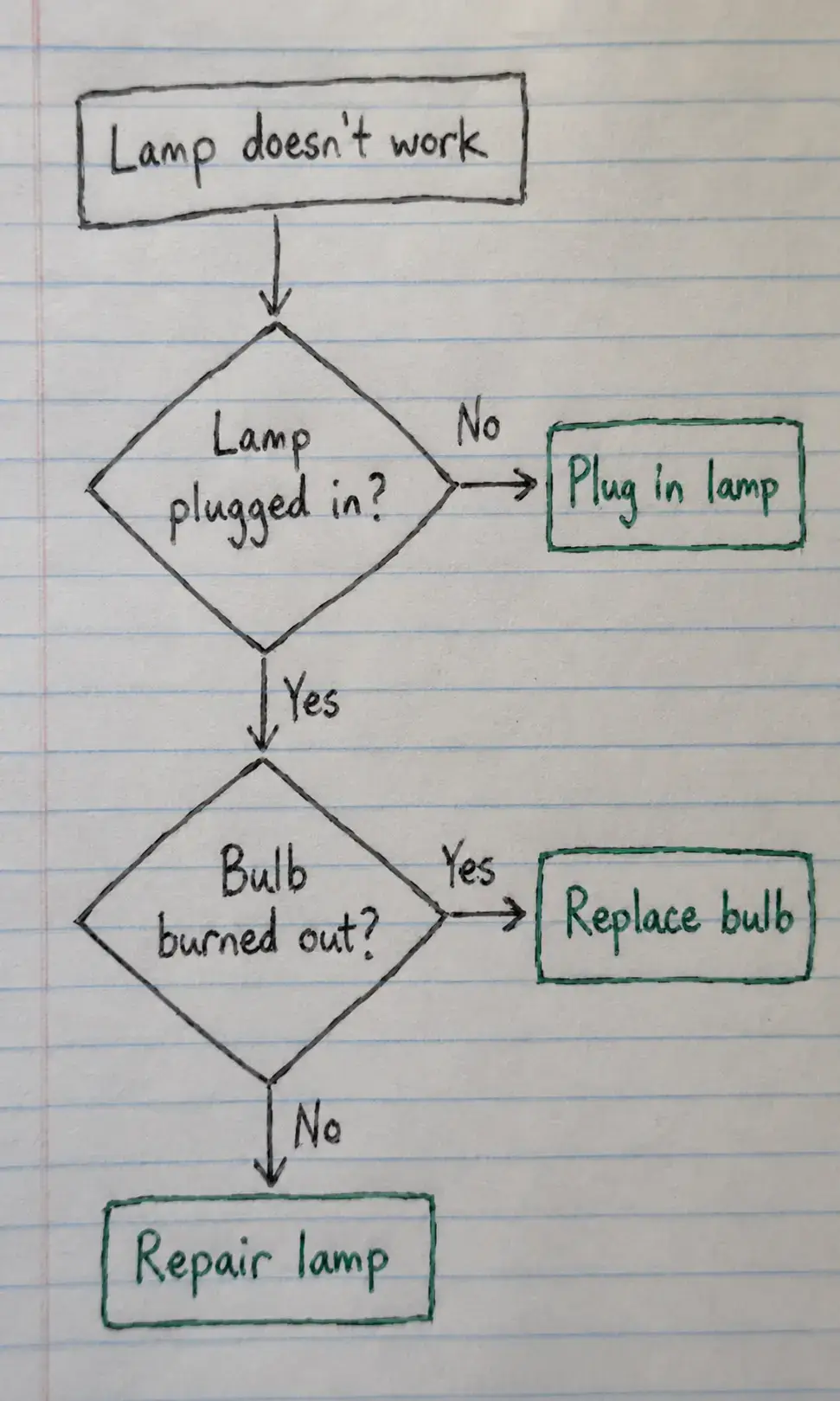
Static pixels, hard to update
After
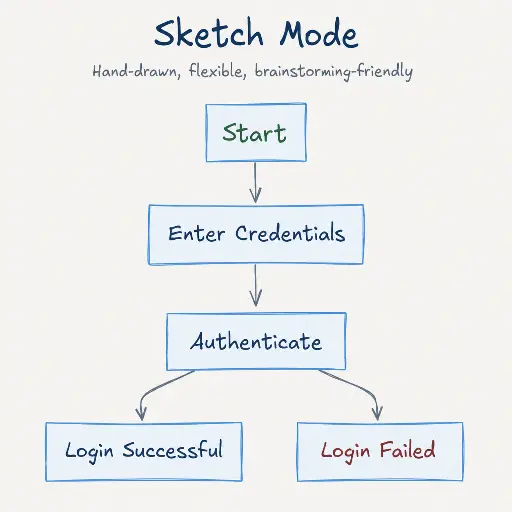
Editable objects you can review
Best for clear diagrams with visible labels, boxes, and arrows. Review blurry text or dense layouts before export.
Upload Hand-drawn FlowchartStart with the source file, let AI rebuild the visible structure, then review the editable result on canvas.
Add a paper sketch, notebook diagram, scanned flowchart, tablet drawing, or photographed process map.
ImageToEditable identifies visible steps, labels, arrows, decisions, and process order, then converts them into editable objects.
Edit text, move shapes, adjust layout, reconnect arrows, and export or share the finished digital diagram.
Editable result
ImageToEditable rebuilds the visible diagram as editable diagram objects, so the output can be reviewed and refined instead of staying locked inside a flat image.
Review and edit visible text labels after the diagram is rebuilt.
Move, resize, add, or remove process boxes, decision nodes, and other diagram elements.
Reconnect arrows, adjust flow direction, and fix unclear branches when needed.
Clean up spacing, alignment, grouping, and reading order on the editable canvas.
Image conversion workflows
Choose the converter that matches your source image or the editable output you need.
Convert rough hand drawn flowcharts into editable digital diagrams without rebuilding everything manually.
Use AI to recognize visible boxes, arrows, handwritten labels, and decision branches from a sketch.
Turn paper process notes, scanned flowcharts, and photographed diagrams into reusable digital flowcharts.
Rebuild notebook sketches, classroom notes, planning diagrams, and decision trees as editable flowcharts.
Convert quick tablet drawings and stylus sketches into structured process flows on canvas.
Make rough decision trees editable after brainstorming, planning, workflow mapping, or process discovery.
Before you upload
A hand drawn flowchart to digital converter turns a paper sketch, notebook diagram, scanned drawing, whiteboard photo, or tablet sketch into editable flowchart elements.
ImageToEditable uses AI to rebuild visible steps, labels, arrows, decision branches, and process order so you can refine the diagram on canvas.
Use this page for paper process maps, notebook decision trees, tablet sketches, scanned diagrams, whiteboard photos, or rough flowchart drafts.
The result is an editable digital flowchart draft that can be reorganized, corrected, exported, and shared without starting from a blank canvas.
Hand-drawn diagrams are fast for brainstorming, meetings, and early process planning, but they become hard to revise once the idea needs a cleaner digital version.
AI conversion keeps the original flow logic while reducing the work needed to recreate every box, arrow, label, and decision branch from scratch.
Use good lighting, keep the page flat, avoid strong shadows, and make handwritten labels and arrowheads as clear as possible.
The sketch does not need to be exact, but readable handwriting, complete connectors, and enough spacing make the generated flowchart easier to edit.
Manual redrawing gives you full control, but it can slow down documentation when you already have a clear sketch, scan, or photographed flowchart.
ImageToEditable gives you an editable digital draft first, then you can correct wording, spacing, connections, and branch logic on canvas.
Results and quality
Upload a clear PNG, JPG, JPEG, or SVG diagram image. For a diagram inside a document, export or capture the relevant page as an image first.
Export availability follows the current ImageToEditable canvas export options.
Continue from the converted diagram without rebuilding the file.
Continue refining the rebuilt diagram with manual edits.
Export the finished diagram as a Draw.io, Mermaid, Excalidraw, PNG, or SVG file when available.
Check labels, shapes, arrows, and connectors before you share the result.
FAQ
Upload a paper sketch, notebook flow, scanned drawing, or tablet draft and refine the digitized diagram on canvas.